
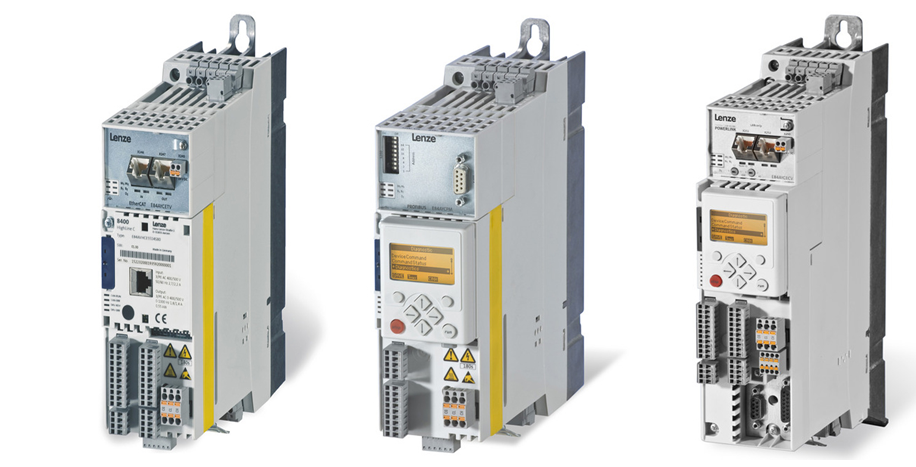
The Lenze 8400 inverter drive range has been widely used in industrial machinery and automation applications. Although some versions are now obsolete, many machines still rely on these drives to control motor speed, torque and operation.
When a fault occurs, the drive displays an error message to help identify the problem. Understanding what the error means, what may have caused it and what to check next can help reduce downtime and get machinery back into operation.
At Modern Drives & Controls Ltd, we supply and support Lenze drive products and help customers with obsolete drive replacements and motor control applications.
This guide covers the Lenze 8400 BaseLine, StateLine, HighLine and TopLine variants, explaining common fault messages and practical troubleshooting considerations.
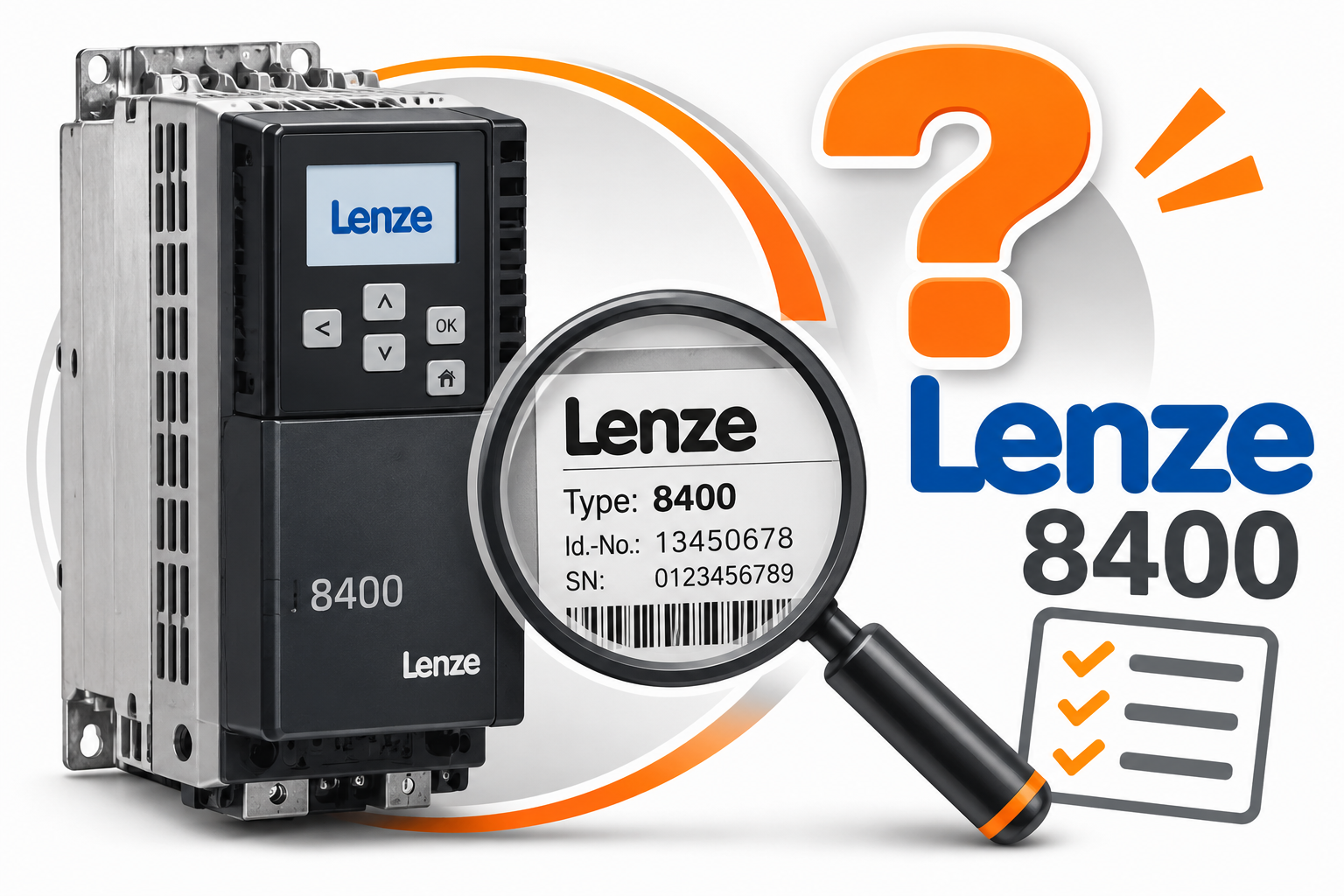
Which Lenze 8400 drive do you have?
The Lenze 8400 range includes several versions:
-
8400 BaseLine – an older, now-obsolete version.
-
8400 StateLine – a general-purpose inverter with additional functionality.
-
8400 HighLine – a more advanced version with additional control and application features.
-
8400 TopLine – the higher-specification version, offering additional functionality for more demanding applications.
The exact diagnostic messages and available functions can vary depending on the drive variant, software version and configuration. Always identify the full drive type from its nameplate before carrying out troubleshooting.
Understanding Lenze 8400 fault messages
When a fault or warning occurs, the 8400 drive records diagnostic information that can help identify the cause.
Depending on the version and display arrangement, the message may appear on the integrated keypad, an external keypad or through Lenze diagnostic software.
The drive can also record error events in its internal logbook. This is particularly useful when a machine experiences intermittent faults that are not present when an engineer arrives.
Where possible, record the complete error message and diagnostic number before resetting the drive.
Common Lenze 8400 fault codes
The following table covers a selection of important 8400 diagnostic messages. The displayed wording and code availability can differ between variants, so check the appropriate Lenze reference manual for the exact drive.
Overcurrent and overload faults
| Fault code | Description | Possible causes and checks |
|---|---|---|
| OC1 | Power section – short circuit | Check motor connections, motor cable and possible phase-to-phase short circuits. Incorrect motor connections or an unsuitable drive/motor combination can also cause this fault. |
| OC2 | Power section – earth fault | Check the motor cable and motor insulation for an earth fault. Inspect connections for damage or moisture. |
| OC5 | Ixt overload | The drive's thermal utilisation has exceeded its monitoring threshold. Check motor loading, drive sizing and the machine's operating cycle. |
| OC6 | I²xt motor overload | Motor thermal overload monitoring has been triggered. Check the motor load, operating cycle and cooling arrangements. |
| OC7 | Motor overcurrent | The drive has detected excessive motor current. Check for mechanical overload, motor or cable problems, incorrect motor data and acceleration settings. |
| OC9 | Ixt overload – shutdown limit | The drive has reached its defined overload shutdown threshold. Check drive sizing and the application's load cycle. |
Important: OC7 is listed in documentation for certain 8400 variants and should not be assumed to apply to every version. BaseLine has its own documented diagnostic list, including OC5, OC6 and OC9.
Voltage-related faults
| Fault code | Description | Possible causes and checks |
|---|---|---|
| OU | DC bus overvoltage | Commonly associated with regenerative energy during deceleration or braking. Check deceleration times, braking arrangements and brake resistor installation where fitted. |
| LU | DC bus undervoltage | Check the incoming mains supply, supply connections and any DC bus supply arrangements. Investigate supply interruptions or voltage drops. |
| Su02 | One mains phase is missing | Check the incoming three-phase supply, fuses, protective devices and electrical connections. |
| Su03 | Too frequent mains switching | Check how frequently the drive's mains supply is being switched on and off. Review the machine's control sequence and switching frequency. |
| Su04 | Control unit insufficiently supplied | Check the 24V supply to the drive's control electronics and the associated wiring and connections. |
Temperature and cooling faults
| Fault code | Description | Possible causes and checks |
|---|---|---|
| OH / OH1 | Heatsink overtemperature | Check cabinet temperature, ventilation, cooling fan operation and blocked air passages. Clean filters and cooling surfaces where necessary. |
| OH3 | Motor temperature input triggered | Check the motor temperature monitoring circuit, sensor and associated wiring. |
| OH7 | Motor temperature monitoring through resolver | Check the motor temperature feedback and resolver-related connections, where fitted. |
The BaseLine reference manual uses the display message OH for heatsink overtemperature. Other versions may identify the condition as OH1.
Motor identification and feedback faults
| Fault code | Description | Possible causes and checks |
|---|---|---|
| ID1 | Motor data identification error | Check the entered motor nameplate data and the motor identification procedure. |
| ID2 | Motor data identification error | Check motor data and the identification process. |
| ID3 | Controller inhibit during motor data identification | Check whether the controller inhibit signal has been activated during identification. |
| ID4 | Resistor identification error | Check the relevant identification procedure and associated motor data. |
| Sd2 | Resolver wire breakage | Inspect resolver wiring, connections and feedback components. |
| Sd4 | MultiEncoder wire breakage | Check encoder wiring, connections and the feedback device. |
| Sd7 | Encoder communication error | Check encoder communication connections and the feedback device. |
Some of these messages are associated with particular feedback options and control configurations. They will not apply to every installation.
How to investigate a Lenze 8400 fault
Before resetting the drive, it is worth carrying out some basic checks.
1. Record the fault message
Write down the complete displayed message. If possible, record the diagnostic number and any additional information available through the keypad or diagnostic software.
2. Check the machine's operating conditions
Consider what the machine was doing when the fault occurred.
For example:
-
Did the fault occur during acceleration?
-
Did it happen while the motor was decelerating?
-
Was the machine under an unusually heavy load?
-
Did the fault occur immediately after switching on?
-
Has the fault appeared intermittently?
The circumstances surrounding the fault can be just as important as the error code itself.
3. Check the motor and associated equipment
Depending on the fault, checks may include:
-
Motor connections and cable condition.
-
Motor insulation and winding condition.
-
Mechanical loading and machine movement.
-
Cooling fan operation and cabinet ventilation.
-
Incoming supply voltage and phase condition.
-
Brake resistor and braking arrangements, where fitted.
-
Feedback devices and associated wiring.
Electrical testing and inspection should only be carried out by suitably qualified personnel using the correct isolation and safety procedures.
4. Check the drive's error history
Where supported, use the drive keypad or Lenze diagnostic software to inspect the internal logbook.
This can help establish whether the fault is new, recurring or part of a wider pattern of problems.
Resetting a Lenze 8400 fault
Once the cause of the fault has been identified and corrected, the drive may need to have its error condition reset before operation can resume.
Depending on the drive configuration, the reset can be performed through:
-
The keypad or drive control interface.
-
Lenze diagnostic software.
-
A configured digital input.
-
A control command through the relevant communication interface.
The exact reset method depends on the drive configuration and the active error response.
Do not repeatedly reset a drive without investigating why the fault occurred. A recurring fault may indicate an underlying electrical, mechanical or drive-related problem.
Always ensure that the machine is safe to restart and that unexpected movement cannot put anyone at risk.
Lenze 8400 drives – repair, support and replacement
Although the Lenze 8400 range has been used extensively in industrial applications, some versions are now obsolete.
For businesses operating machinery with older 8400 drives, a fault can present a difficult decision: should the existing drive be investigated further, or is it time to consider a replacement?
The correct approach depends on the nature of the fault, the condition of the drive, the motor and the wider machine control system.
A replacement inverter may need to be checked for:
-
Motor voltage and current ratings.
-
Supply voltage and phase requirements.
-
Motor control method.
-
Speed and torque requirements.
-
Braking requirements.
-
Control signals and communication interfaces.
-
Physical installation and enclosure requirements.
Replacing an inverter is not always a straightforward component-for-component swap. The replacement needs to be suitable for the motor and the application, and its control parameters and connections may need to be adapted.
Modern Drives & Controls Ltd can help with Lenze inverter enquiries, obsolete drive replacements and bespoke motor control solutions.
Need help with a Lenze 8400 fault?
If you are experiencing problems with a Lenze 8400 BaseLine, StateLine, HighLine or TopLine inverter, Modern Drives & Controls Ltd can help you investigate the available options.
If your drive is becoming unreliable or you are concerned about its long-term availability, you may also find our related articles useful:
-
Lenze 8400 Inverter Drives – Are They Still Available? – Find out more about the availability of Lenze 8400 drives and the options for existing installations.
-
What to Do When Your Lenze 8200 or 8400 Drive Becomes Obsolete – Explore replacement options and what to consider when an older Lenze inverter reaches the end of its service life.
Whether you need help identifying a fault, sourcing a replacement inverter or finding an alternative drive solution, contact Modern Drives & Controls Ltd to discuss your requirements.